
Steal Or Die: How to Play as an Entity and Pick a Monster
Learn how to play as an entity in Steal Or Die: choose a monster, vote ENTITY: PLAYER, and understand why buying 2x chance never guarantees the role.
FAQ
How do I become the monster in Steal Or Die?
Why am I still a survivor after selecting PLAY AS?
Does 2x Entity Chance guarantee the next monster round?
What is the difference between ENTITY: AI and ENTITY: PLAYER?
Do I have to buy Rictus to play as any entity?
Choosing a monster and being chosen as the monster are two different actions. That distinction explains the most confusing part of Steal Or Die’s entity menu. This walkthrough follows FusionZGamer’s session from a selected character card to an actual Rictus assignment, including the rounds where paying for increased odds still leaves him playing survivor.
What does the source actually demonstrate?
The footage shows the PC shop shortcut, the PLAY AS character cards, the two voting modes, the optional chance pass, and the later role announcement. It also begins with the creator playing The Hollow before buying another entity. These are recorded menu states, not a promise that current prices or selection odds will stay unchanged.
Source: FusionZGamer’s full Steal Or Die session. Each screenshot below links to its exact point in that recording. For individual hunting mechanics, use the Rictus field guide or The Hollow guide.
Step 1: Open SHOP, then PLAY AS
Press M on PC to open SHOP, then select PLAY AS. The left side of the shop separates SURVIVOR, ENTITY and PLAY AS. PLAY AS is the character-selection screen; ENTITY is the separate upgrade category. Buying an upgrade there is not the same action as picking a character.
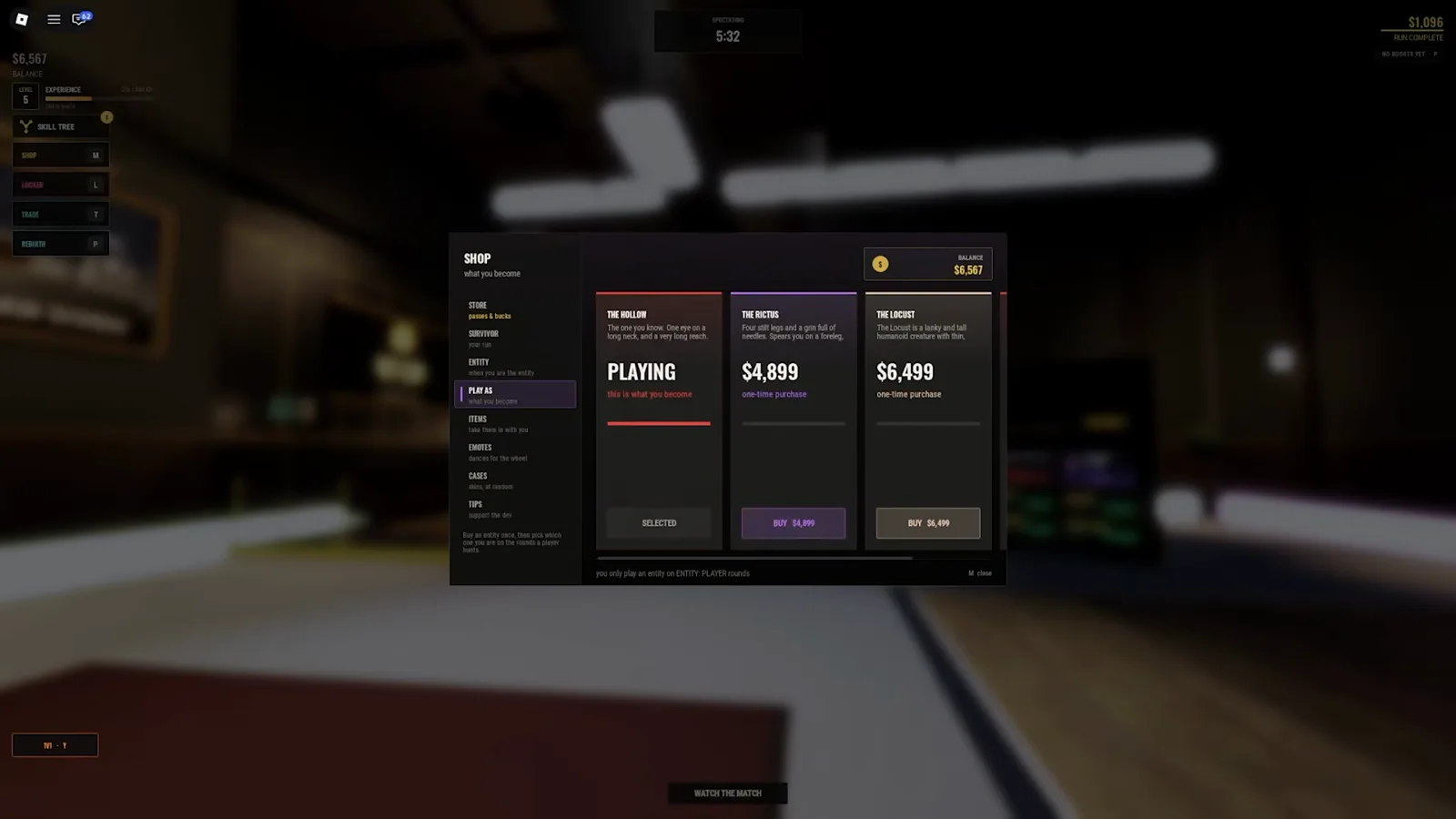
The three visible cards here are The Hollow, The Rictus and The Locust. This is a horizontally scrolling menu, so these three cards should not be mistaken for a complete roster. The screenshot also shows currency prices and a one-time-purchase label. Read your live card before spending; this guide does not turn one recording into a permanent price list.
Step 2: Select an owned entity and check PLAYING
Choose an owned character and confirm that its card says PLAYING and SELECTED. At 36:48, Rictus has those labels while The Hollow says OWNED. OWNED means available to pick; PLAYING identifies the character currently chosen for a future entity turn.
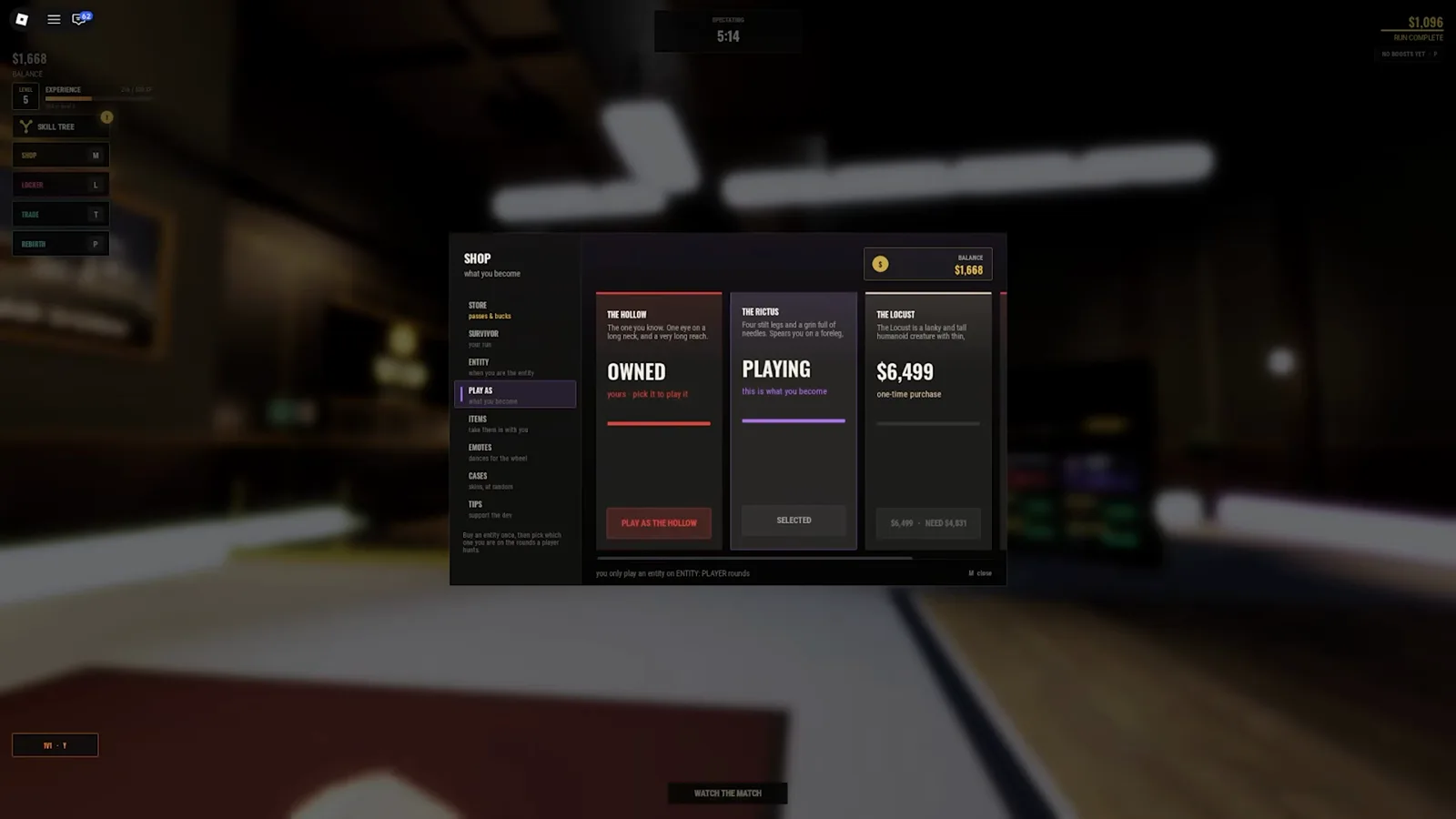
Do not infer a match assignment from this card. In the next demonstrated round the creator is still a survivor. If you need to improve that side of the game while waiting, survivor upgrades cover the separate shop purchases for your runner.
Step 3: Vote ENTITY: PLAYER in the lobby
Vote ENTITY: PLAYER rather than ENTITY: AI. The voting window has a map choice above a separate entity-control choice. Its labels explain the distinction directly: AI is controlled by the game; PLAYER means one player becomes the entity.
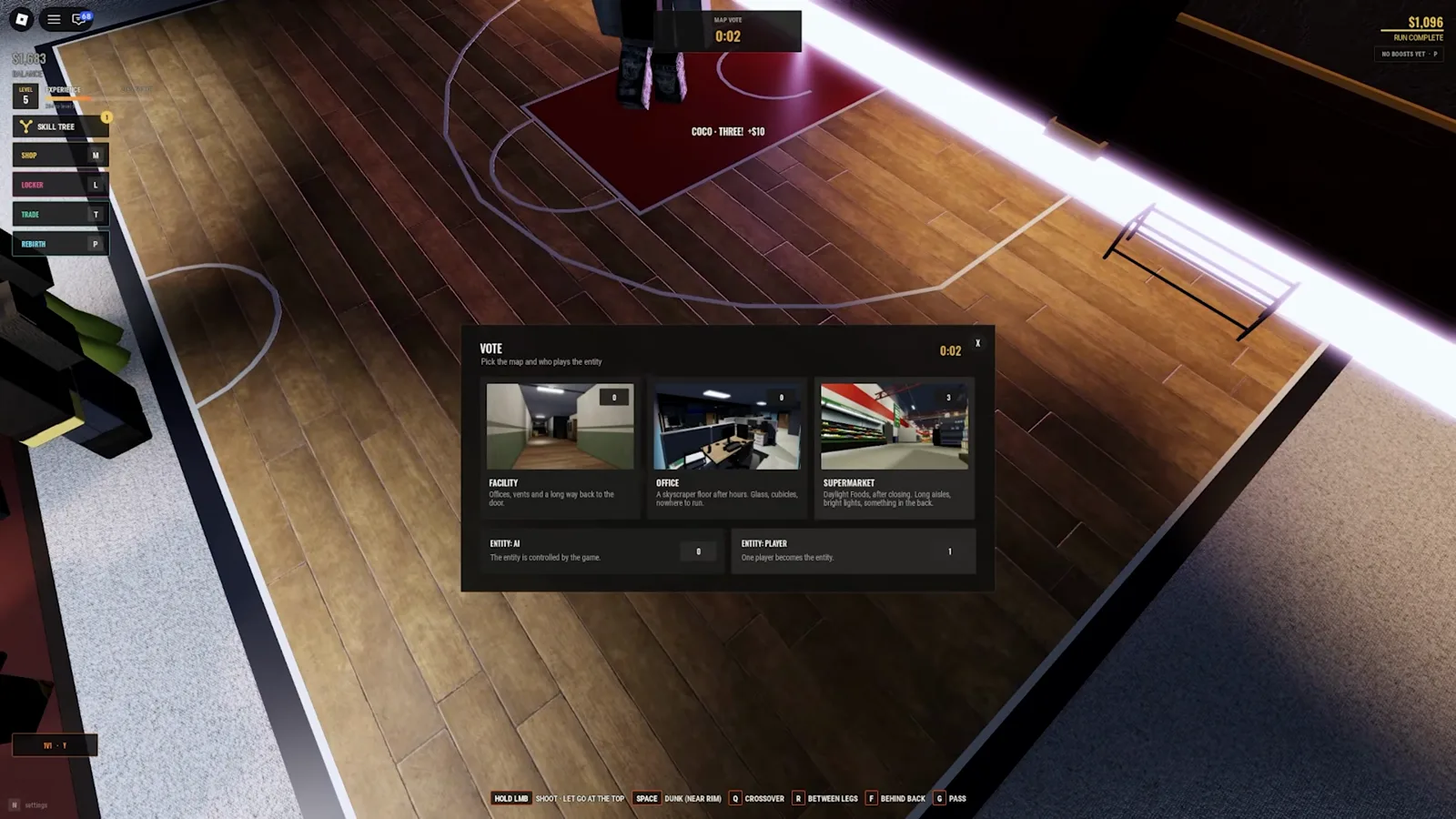
Your vote is not a personal booking. Other players also vote, and the footage does not expose the exact tie-break or role-selection formula. The menu’s firm rule is narrower: you only play an entity on ENTITY: PLAYER rounds. A vote for PLAYER creates the relevant opportunity; it does not guarantee that you receive it.
Does buying 2x Entity Chance skip the wait?
No. The purchase confirmation says “2x chance to be the entity in ENTITY: PLAYER rounds” and “Changes your role, never your strength.” That is an odds modifier, not a damage upgrade or a guaranteed next turn. The confirmation appears at 36:44; the eventual Rictus announcement is much later, at 51:32.
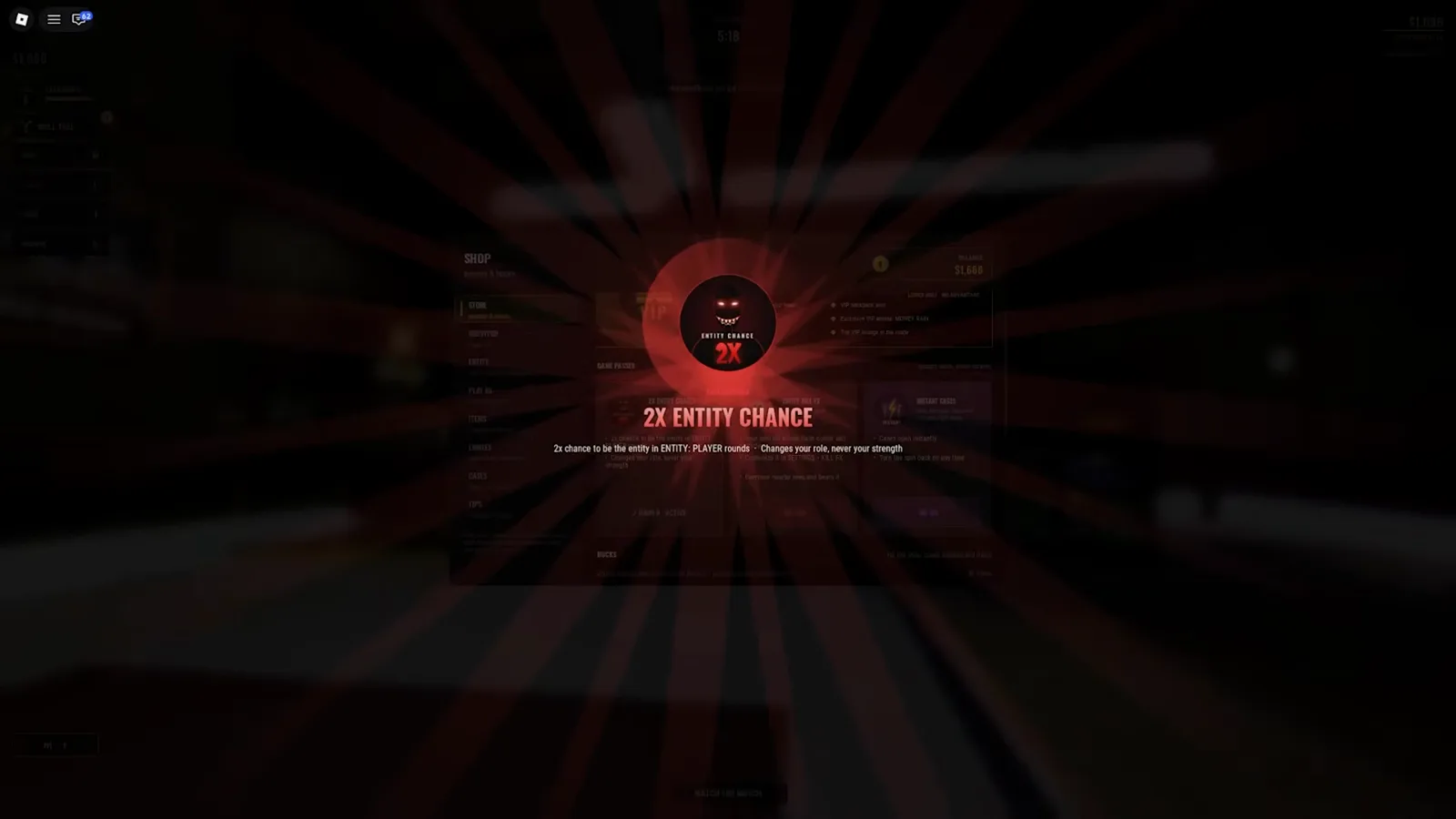
The creator reads a 280 Robux purchase prompt in this recording. Treat that as historical footage, not a current quote. There is no published base percentage in this evidence, so “2x” cannot honestly be converted into an exact chance, a queue position, or a guaranteed number of matches.
Step 4: Wait for the role announcement
Wait for the round to announce YOU ARE THE RICTUS, or the name of your selected entity. This announcement is the evidence that you received the role. The captured round also has a breakout countdown, so assignment and being free to hunt are separate moments.
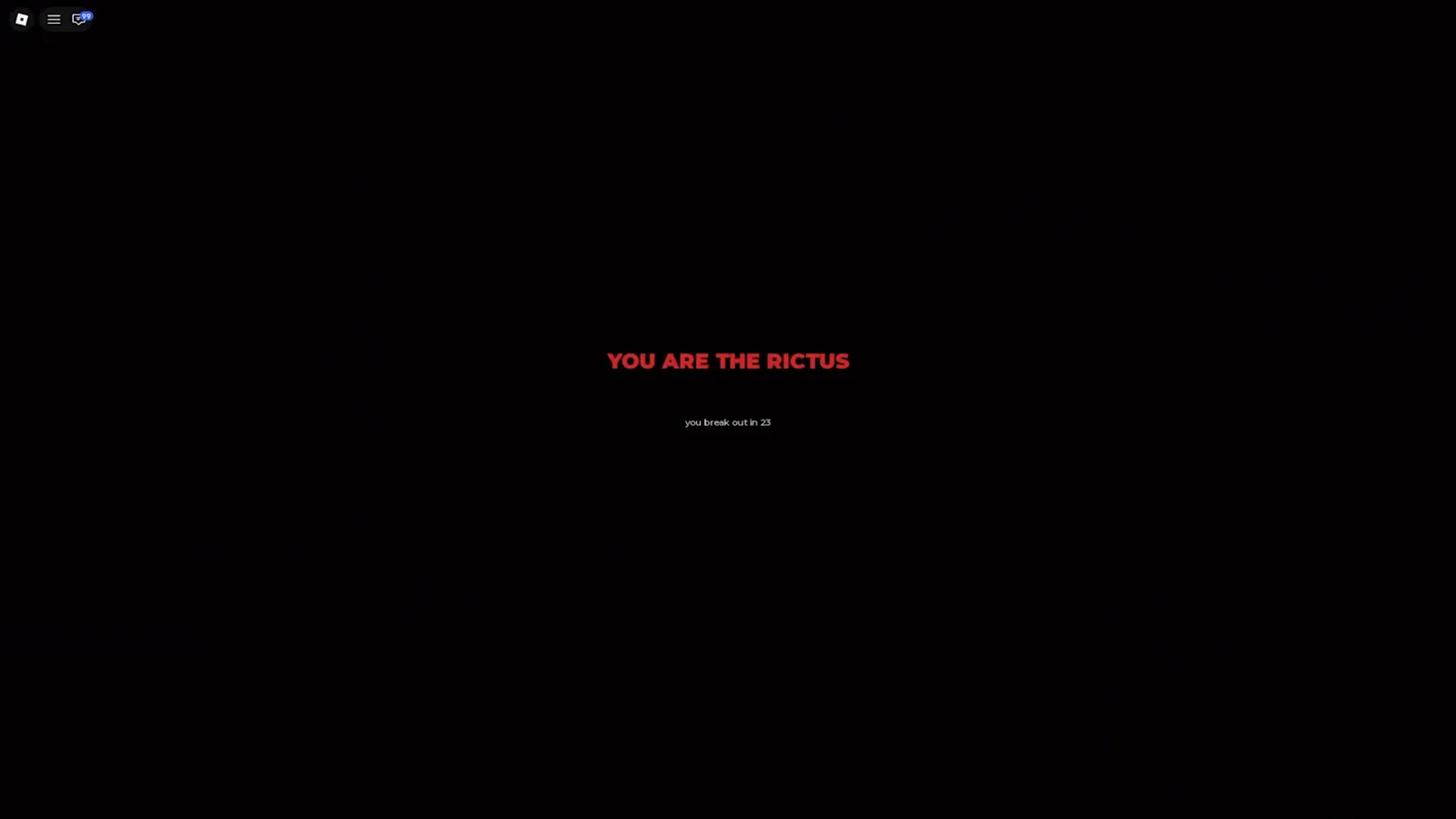
Once released, switch your attention from collecting loot to finding survivors. The Rictus guide follows this specific hunt and its stamina limits. For the runner’s side of the same encounters, the hiding guide explains cover and the mistakes that reveal you. Do not budget around a guaranteed selection interval: the session demonstrates a wait, but supplies no formula for predicting the next turn.

FusionZGamer selects Rictus, buys increased entity odds and eventually receives the monster role
Related Articles
bosses
The Rictus in Steal Or Die: Unlock Cost & Hunt Guide
The Rictus costs $4,899 in Steal Or Die's shop. See its exact card, selection rules, attack prompt, and a full player hunt before spending your cash.
guides
Steal Or Die Survivor Upgrades: Backpack, Speed & Stamina
Spend banked cash on Steal Or Die survivor upgrades. Compare Backpack, Sprint Speed and Stamina, check filmed prices, and separate them from skill points.
items
Steal Or Die Emotes Guide: The Dance Wheel, Locker and the Whistle
Steal Or Die emotes are dances on a Z-key wheel — up to 8 slots from the shop's Emotes tab, rebirth unlocks, or trades. What's confirmed on screen, and what isn't.
Was this helpful?
Thanks for the feedback!